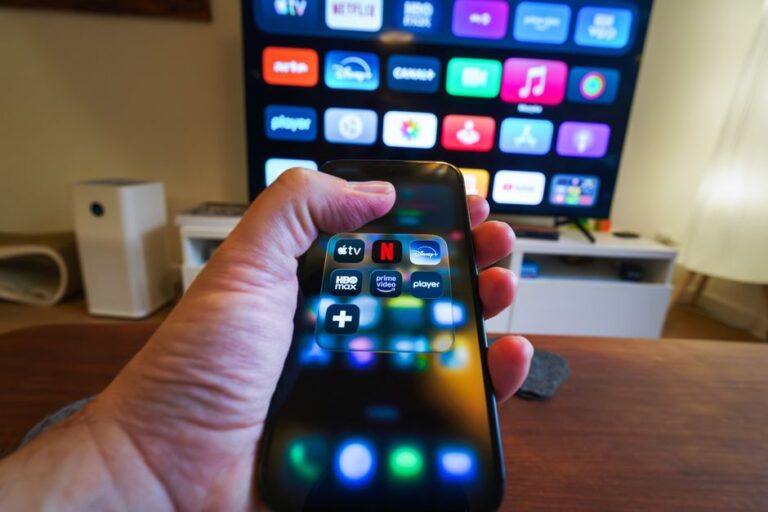
Subscription fatigue describes the burnout that sets in when streaming, cloud storage, and app subscriptions pile up, notifications multiply, and renewal dates blur into one long monthly drain. For Gen Z and Millennials, who live more of life online than any generation before, it is a cultural pressure cooker built from convenience, FOMO, and “try it for free” loops that never really feel free.
Streaming libraries fragment across platforms, cloud storage nudges upgrades with full-device backups, and mobile apps shift essential features behind paywalls. Add intro discounts, “limited-time” bundles, and algorithmic reminders, and the result is mental overload alongside subscription sprawl. The issue is not just money; it is attention, decision fatigue, and a low-grade sense that everything essential now renews forever.
From ownership to access: the subscription default
Both generations normalized access over ownership. Music, shows, files, software, and even social experiences live behind recurring payments. This model promises flexibility, but it also shifts the burden of curation to the user. Every month becomes a referendum on what to keep, pause, or cancel, which quietly erodes the peace that one-time purchases used to provide.
Notification overload and the cost of switching
Auto-renewal is frictionless by design, while cancellation often requires steps across web and mobile settings. Notifications amplify perceived value at renewal time and fade afterward, pushing people to stick with “good enough” choices rather than switch. Over time, this creates a pile of small commitments that feel too minor to fix yet too many to ignore.
FOMO, meme cycles, and cultural pressure
There is constant pressure to keep up with the show everyone quotes, the game with a new season pass, or the photo editor trending on social. In practice, this keeps trials orbiting around hype cycles. When every meme threatens to expire in a week, subscriptions start to feel like cultural taxes.
Audit your streaming, cloud storage, and app subscriptions without drama
An audit is less about saving money and more about taking back control of your attention. Treat it as digital housekeeping you schedule once per quarter, not a permanent second job.
Create a single source of truth
- List every subscription by service name, plan, renewal date, and platform used to subscribe (direct web, app store, console, or device vendor).
- Tag each subscription as must-keep, nice-to-have, seasonal, or parked-for-later. Seasonal means you only need it during new releases, sports seasons, or specific project months.
- Note shared or family plans and who uses each seat. Seat maps prevent paying twice for the same function across different accounts.
- Record core features you actually use. If you pay for 2 TB of storage but only need cross-device notes and photo backup, that is a signal.
Find duplicates and shadow bundles
- Spot overlap: two cloud drives both backing up the same photos, two password managers, or two productivity suites with redundant storage.
- Check if one subscription quietly includes another feature you already pay for, like VPN, cloud storage, or premium support.
- Review device ecosystems, where cloud, email, and photo storage may come bundled across mobile, tablet, and laptop without being obvious.
Seasonal rotation for streaming services
- Rotate platforms based on release windows rather than keeping everything year-round.
- Use watchlists to plan a focused month with one platform, then pause or cancel before moving to the next.
- For live events or sports, consider month-to-month activation aligned with schedules, and set calendar reminders to reassess before renewals.
Red flags of dark patterns
- Unclear plan names that sound similar but differ in price or ads.
- Cancellation options hidden behind multiple menus or gated to web-only flows.
- Trials that convert outside of local time zones and renew just after midnight.
- “Loyalty” upgrades that add features you did not request during a support interaction.
Cancel subscriptions cleanly and keep your data
Cancellation should be boring and reversible. The goal is to exit without losing files, photos, conversations, or app settings.
Universal cancellation workflow
- Locate the subscription at the original point of purchase. If you started in an app store, manage it there. If you bought direct, use the service’s account billing page.
- Capture the current plan, renewal date, and any stored credits or gift months. Keep a screenshot for your records.
- Check whether the service pauses access until the end of the billing period or ends immediately, then schedule your final usage window accordingly.
Backups and data portability
- For cloud storage, download critical folders or move them to an alternative before downgrading. Verify file integrity and sharing permissions after the move.
- For creative and productivity apps, export projects in open or interoperable formats where possible so you can reopen them elsewhere.
- For messaging or community apps with paid tiers, export chat history or media if the app offers a legal and supported export flow.
Account cleanup and reactivation
- Downgrade to free tiers rather than delete accounts if you may return later. Many services keep settings and libraries intact on free plans.
- Remove payment methods from accounts you rarely use to avoid surprise reactivations.
- Use calendar events labeled “Renewal check” one week before each known renewal date to reassess need.
Negotiate better rates and perks without turning it into a full-time job
Negotiation is less about haggling and more about timing, eligibility, and choosing the right channel. Keep interactions brief, polite, and purposeful.
Timing, plans, and eligibility
- Revisit plans during end-of-trial, end-of-year, or product update windows when services often promote alternative tiers.
- Ask about student, youth, or household plans if you are eligible. Always verify eligibility requirements in the service’s help pages.
- Consider annual versus monthly only if the service is mission-critical for the next year and offers a meaningful flexibility option, such as pausing or partial refunds. If the path back is unclear, stick to monthly.
- Explore pause options instead of full cancellation when you only need a break. Pauses can preserve settings and recommendations.
Channels and simple scripts
- Live chat and in-app support are fastest for plan changes and retention offers. Email works for a written trail.
- Use clear scripts that state your goal without extra detail. Example: “I would like to switch to the basic plan starting next cycle. Are there any current promotions for existing members?”
- When canceling, stay direct. Example: “Please cancel auto-renew and confirm the end date of my current period. Do you offer a pause option instead?”
- If offered bundles you do not need, decline succinctly. Example: “Thanks, but I only need core streaming without add-ons.”
Ethical sharing and terms
- Family and household plans can reduce overlap when used within their stated rules. Always follow the service’s terms of use.
- Avoid gray-area sharing that risks account locks or data loss. Convenience is not worth disrupting access for everyone tied to the account.
Mindset: Gen Z vs. Millennials and the subscription treadmill
Subscription fatigue is also a culture clash between speed and selectivity. One group optimizes for immediacy and algorithmic discovery; the other prefers predictability and habit. Both can benefit from a lighter stack and clearer rules for adding and removing services, especially when trends move faster than attention can follow.
The differences show up in daily rituals, app choices, and how each group deals with FOMO. For a deeper dive into how those micro-habits diverge, see 12 everyday habits that show the real difference, which frames why one person’s must-keep app is another’s once-a-year curiosity.
Cause-driven content exhaustion on social platforms mirrors subscription fatigue. Both rely on notifications, urgency framing, and constant novelty. The strategies that protect attention from activism overwhelm often translate well to subscription sprawl, as explored in why cause fatigue hits Gen Z and Millennials.
Finally, tools and team habits matter. Shared calendars for renewal dates, lightweight documentation for who uses which tool, and clear communication norms reduce confusion, just like in distributed work. For practical coordination tactics, see communication, feedback, and tools that actually work.
Practical checklist to keep subscriptions right-sized
- Quarterly audit: list, tag, and verify each subscription and its renewal date.
- One in, one out: add a new subscription only if another moves to seasonal or is removed.
- Seasonal rotation: align streaming activations with specific shows or events.
- Data first: export or migrate files before downgrading any cloud or creative tool.
- Clear scripts: use short, respectful messages for plan changes and cancellations.
- Reminders: set calendar events one week ahead of renewals to reassess.
- Terms-aware sharing: use household plans within rules to prevent access issues.
Frequently Asked Questions
Is rotating streaming services worth the hassle?
Rotation keeps attention focused and reduces overlap you are unlikely to use at the same time. If you plan by release windows and set reminders to reassess, the process becomes routine and avoids long, open bills for content you are not watching.
How do I avoid FOMO when a show or app is trending?
Capture trends into a watchlist or try-later note, then activate a single platform when at least several items line up. This curbs impulse sign-ups and keeps viewing or usage intentional rather than reactive to the week’s hype.
Are free trials safe to use?
They are fine if you track the end date and understand conversion terms. Set a reminder two days before the trial ends, confirm what plan it becomes afterward, and cancel early if you are unsure. Avoid stacking multiple trials at once to keep decisions clear.
What if password-sharing rules change?
Services can update enforcement and eligibility. If sharing no longer fits the terms, switch to a compliant household or family plan, or rotate access within your own accounts. Following the rules reduces the risk of sudden lockouts.
What if a service hides the cancel button?
Check the platform where you originally subscribed, then look for a web-only billing page if the app path is missing. If needed, contact support through chat or email and request written confirmation of the end date. Keep screenshots of the confirmation for your records.
Relacionados
Why Subscription Fatigue Hits Gen Z and Millennials—and How to Audit, Cancel, and Negotiate Better Rates on Streaming, Cloud Storage, and Apps
Why doomscrolling hijacks Gen Z and Millennial attention—and how to fix it with TikTok/Instagram algorithm resets, notification triage, and a 7‑day sleep-friendly phone routine
Why dynamic pricing and drop windows make concert tickets feel impossible for Gen Z and Millennials—and how to secure face‑value seats: presales, verified fan, queue tactics, and safe resale checks
How to Turn a 15-Second TikTok Sound into a Charting Single for Gen Z and Millennials: Hook Design, Creator Seeding, Meme Formats, and Release Timing